

The ability to use X-ray in Minecraft 26.1 lets you improve your vanilla gameplay experience and serves as a nifty way of hunting down specific ores, minerals, and resources in the block-shaped world. These packs make your blocks transparent and X-ray-themed, revealing the insides of blocks. This offers a seamless way of locating what you want without searching for it endlessly.
Here’s how you can get your hands on a pack to install X-ray in Minecraft 26.1
Note: X-ray resource packs are banned in many online servers and Realms due to the unfair competitive advantages they provide. It is recommended that players read all the rules and guidelines for each server before using the pack in multiplayer environments. As for single-player worlds, we won’t tell if you don’t.
Guide to get X-ray in Minecraft 26.1

The resource pack that allows you to use the powers of X-ray in Minecraft 26.1 can be installed natively and does not require any additional APIs, mods, or launchers as dependencies for it to work. These packs are handy if you want to turn your world transparent and easily locate ores, End portals, or trial chambers.
Here’s how you can download and install X-ray in Minecraft 26.1:
- Download an X-ray resource pack, such as X-ray Ultimate by Filmjolk.
- Once the ZIP file is downloaded, launch a new or existing instance of Minecraft.
- Make your way to the Options tab on the home screen.
- Once it opens, navigate to the tab marked Resource Packs.
- Next, click on the button marked Open Pack Folder.
- Drag and drop your downloaded X-ray pack ZIP file inside this folder.
- Now, head back to Minecraft and look for the X-ray pack in the list of available packs.
- Once found, simply hover over the pack and click the arrow button to apply it to your game.
It is recommended to ensure that the X-ray resource pack is placed above the default Minecraft pack to prevent the native settings from overriding it and preventing it from working as intended. The pack can be reordered easily by clicking the icon to make sure it’s on top.
Once done, this order will be applied natively across the game. After this is completed, click on “Done” and return to the loading screen. Now, you can head into a new or existing world and try out your newfound X-ray superpowers.
How to use the Minecraft 26.1 X-ray pack
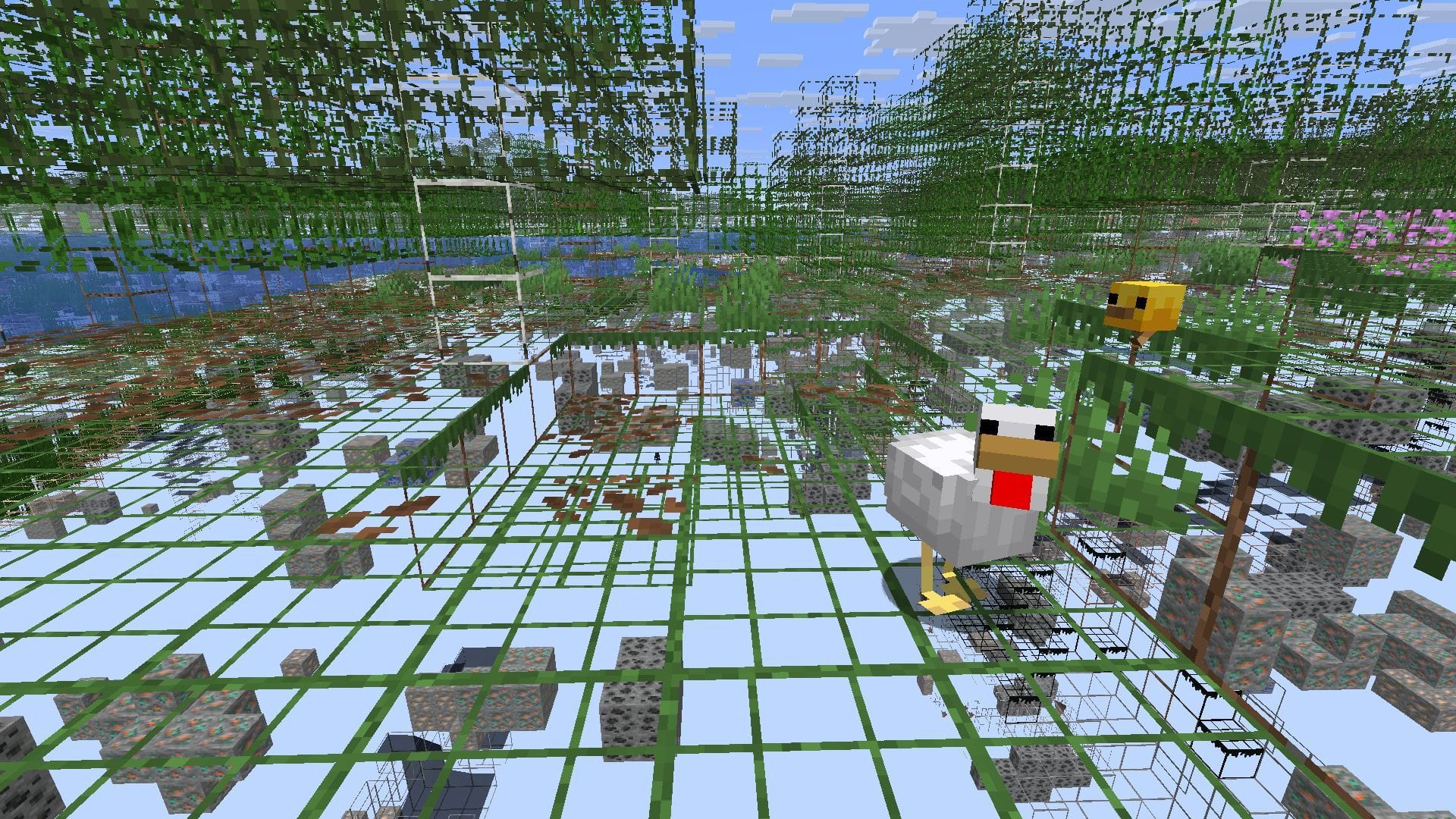
After you have followed the steps mentioned above and enabled X-ray in Minecraft 26.1, open your preferred world (new or old). You will notice that the world and all blocks are transparent structures with distinct outlines. You can simply use this nifty feature to locate ores, trial chambers, and other hidden structures.
Unlike mods, which require the use of a specific item or command, this resource pack is enabled by default. The X-ray pack provides an easy way of locating structures, ore veins, or mineshafts. Additionally, it can also be used to locate trial chambers with ease, making speedruns even faster.
While the X-ray packs in Minecraft 26.1 can be used standalone, they can also be paired with utility mods such as Night Vision, Astromine, or Optifine to enhance their powers and get additional benefits. Blending these X-ray packs with visual mods can make your yearning for the mines a bit smoother.
Also read: Popular server Mineplex announces return under new ownership
Check out our other Minecraft articles:
Edited by Sayendra Basu